Diy Cable Management to Tame the Cord Chaos
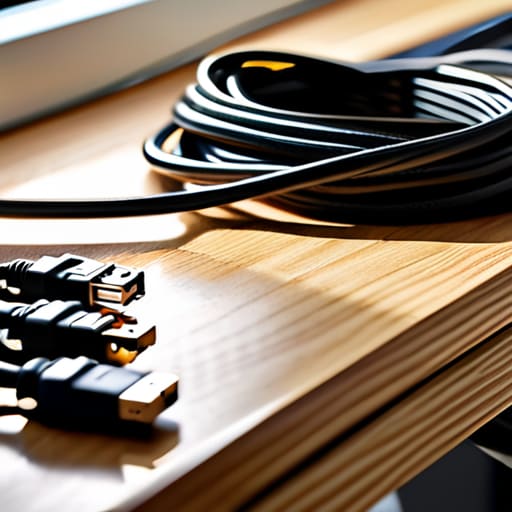
I was standing in my home studio last week, staring at the tangled nest of black wires snaking out from under my desk, and I felt that familiar, rising heat in my chest—the same feeling I used to get when I’d walk into a disorganized line during a Friday night rush. It’s chaotic, it’s overwhelming, and honestly, it’s a total drain on your creativity. You might think that mastering cable management diy requires a massive budget or some high-tech engineering degree, but that’s just a myth. In reality, it’s much more like prepping a mise en place; once you have a system for your tools, you stop fighting the clutter and finally start finding your flow.
I’m not here to sell you on expensive, flashy gadgets that just end up gathering dust. Instead, I want to share some honest, no-nonsense strategies to help you reclaim your space and your sanity. We’re going to dive into practical, low-cost hacks that will turn that “spaghetti mess” into a streamlined sanctuary. Whether you’re working from a tiny corner or a full home office, I’ll show you how to organize your setup so it feels as polished and professional as a Michelin-star kitchen.
Table of Contents
- Step-by-Step Instructions
- Mastering Under Desk Cable Management Solutions for Flow
- Using Velcro Straps for Cables to Achieve Seamless Harmony
- The Secret Sauce: 5 Pro-Tips for a Flawless Setup
- The Secret Sauce to a Clutter-Free Workspace
- The Mise en Place of Your Workspace
- The Final Prep: Serving Up a Seamless Workspace
- Frequently Asked Questions
Guide Overview
Tools & Supplies
- Scissors or wire cutters for trimming ties
- Label maker or masking tape for identification
- Velcro cable ties (1 pack)
- Cable management sleeves or raceways (2-3 units)
- Adhesive cable clips (1 pack)
Step-by-Step Instructions
- 1. First things first, we need to do a full mise en place for your workspace. Just like you wouldn’t start a complex reduction without chopping your aromatics, you can’t fix a cable mess without seeing the whole landscape. Unplug everything, clear your desk completely, and lay all your cords out on the floor. It might feel overwhelming at first, but you need to see exactly what you’re working with to avoid any culinary disasters later on.
- 2. Once you have your “ingredients” spread out, grab some velcro ties or even some simple twist ties. I prefer velcro because it’s much more forgiving—think of it like a flexible roux rather than a stiff starch. Group your cables by their destination: all the power strips go together, all the peripheral cords go together, and your laptop charger gets its own little family. This prevents that dreaded “spaghetti” look where you can’t tell where one cord ends and another begins.
- 3. Now, let’s talk about the foundation: the power strip. If your power strip is just rolling around under your desk like a stray onion, it’s time to secure it. I love using heavy-duty mounting tape or even a simple under-desk cable tray. Getting that power source firmly anchored to the underside of your desk is a total game-changer; it clears up floor space and keeps the most dangerous part of the mess out of sight.
- 4. Next, we’re going to start the “plating” process by routing the cables. Use adhesive cable clips to guide your cords along the edges of your desk legs or the underside of the tabletop. You want to create clean, intentional lines that follow the natural architecture of your furniture. If a cord is hanging loosely, it’s a distraction; if it’s tucked neatly against a leg, it becomes almost invisible.
- 5. For those pesky, long cables that seem to have a mind of their own, I highly recommend a few small cable management boxes. These are like the secret spice kits of organization—they hide the unsightly bulk of extra cord length and power bricks inside a sleek container. It keeps the visual noise to a minimum, allowing your brain to focus on your actual work rather than the clutter beneath your feet.
- 6. Finally, it’s time for the “tasting” phase, which is actually just plugging everything back in one by one. As you reconnect each device, double-check that your paths are still clear and that nothing is being pinched or pulled too tight. If a cord feels strained, loosen the tension immediately. A perfectly organized desk should feel as seamless and intentional as a well-executed tasting menu.
Mastering Under Desk Cable Management Solutions for Flow
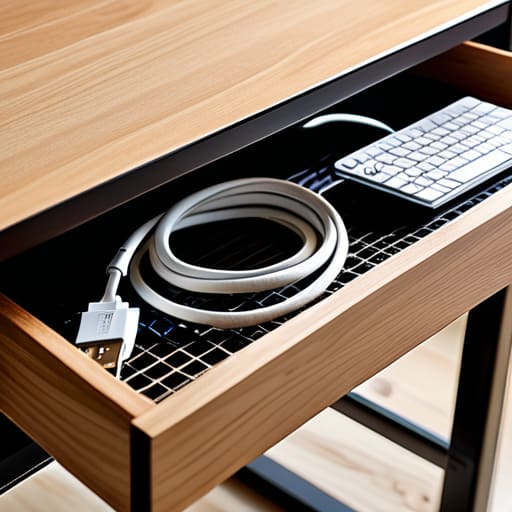
Think of your workspace like a high-pressure kitchen line; if your station is cluttered with stray tools, you’re going to trip over yourself when the rush hits. The same goes for your desk. To truly master under desk cable management solutions, you need to think vertically. I love using heavy-duty mounting tape to attach a simple wire basket or even a repurposed spice rack to the underside of my desk. This creates a “staging area” for your power strips, keeping them off the floor and away from the dust bunnies. It’s all about creating a dedicated home for the chaos so it doesn’t bleed into your creative zone.
When it comes to the actual wiring, ditch those plastic zip ties—they’re the culinary equivalent of overcooking a delicate scallop; once they’re on, they’re permanent and messy to fix. Instead, I highly recommend using velcro straps for cables. They allow you to bundle cords together with ease, making it simple to add or remove gear as your setup evolves. By grouping your wires into neat, manageable “trays” using these flexible routing techniques, you ensure that your workstation remains a sanctuary for focus rather than a tangled web of distractions.
Using Velcro Straps for Cables to Achieve Seamless Harmony

If you’ve ever tried to prep a complex reduction sauce, you know that having your mise en place perfectly organized is the difference between a masterpiece and a meltdown. Managing your workspace is no different. When it comes to using velcro straps for cables, I think of them as the ultimate kitchen tongs—versatile, non-destructive, and incredibly satisfying to use. Unlike those annoying plastic zip ties that feel a bit too permanent (and can actually pinch your cords if you aren’t careful), velcro allows you to adjust your setup as your tech evolves. It’s much more forgiving, making it one of my favorite diy cable organizer ideas for anyone who likes to swap out gear frequently.
To really master your cord management for home office setups, try grouping your cables by their “family.” Bundle your power strips together and use the straps to create neat, rhythmic loops along your desk legs. This isn’t just about hiding computer wires; it’s about creating a visual rhythm that lets your brain focus on the task at hand rather than the chaos beneath the surface. Think of it as plating your workspace—when the foundation is clean, everything else just tastes… well, looks much better!
The Secret Sauce: 5 Pro-Tips for a Flawless Setup
- Label your cables like you’re prepping a mise en place; use a simple piece of masking tape or a label maker to mark which cord belongs to which device so you aren’t playing a guessing game during a mid-shift crisis.
- Group your “ingredients” together using cable sleeves; just like a well-organized spice rack, bundling your wires into one neat sleeve makes the whole system look intentional rather than accidental.
- Don’t forget the “prep work” of routing cables through desk grommets; creating a dedicated path for your wires early on prevents that messy, tangled look from ever taking root.
- Use adhesive cable clips to guide your wires along the legs of your desk, much like how we use guide rails in a professional kitchen to keep everything moving in the right direction.
- Periodically “taste test” your setup by checking for tension; make sure no cables are being pulled too tight, or you’ll end up with a broken connection just like a sauce that’s been cooked too hard.
The Secret Sauce to a Clutter-Free Workspace
Treat your cable organization like mise en place; when every cord has its designated home, you eliminate the mental friction that kills your creative flow.
Invest in reusable tools like Velcro straps rather than permanent fixes, giving you the flexibility to “re-season” your setup whenever you upgrade your tech.
Don’t just hide the mess—curate your environment, because a seamless, organized workspace is the foundation for doing your most soulful, focused work.
The Mise en Place of Your Workspace
“Think of your cable management like prepping a gourmet kitchen; when everything has its place and the clutter is cleared away, you stop fighting the chaos and finally start finding your flow.”
Amelia Johnson
The Final Prep: Serving Up a Seamless Workspace
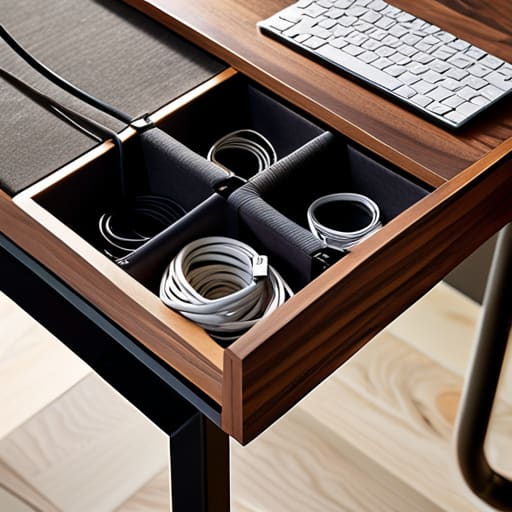
At the end of the day, tackling your cable management is a lot like organizing a professional mise en place. We’ve gone from the heavy lifting of securing everything under your desk to the fine-tuned details of using Velcro straps for that perfect, clutter-free harmony. By grouping your wires, labeling your connections, and tucking away the excess, you aren’t just cleaning up a mess; you are building a foundation for focus. Just like a chef who can’t find their favorite knife in a chaotic kitchen, you can’t find your creative flow when you’re constantly tripping over a tangle of black cords.
I know that sometimes these organizational projects can feel a bit tedious, but I promise you, the payoff is so worth it. When you clear away the visual noise, you create a sacred space where your best ideas can actually breathe. Think of this as an investment in your own culinary-grade productivity. Whether you’re cooking up a new business plan or just tackling your daily to-do list, a streamlined environment allows your passion to take center stage. So, grab those ties, get organized, and go create something absolutely delicious in your newly reclaimed space!
Frequently Asked Questions
I’ve got a massive tangle of wires under my standing desk—is there a specific way to organize them so they don't get caught when I adjust the height?
Oh, the dreaded “spaghetti monster” under the desk! I’ve seen this in kitchens with power cords all the time. Since your desk moves, you can’t just tie everything tight. Think of it like prepping a station: you need “slack.” Group your cables into a single, flexible trunk using a cable sleeve, but leave enough loop at the bottom so the cords can travel up and down freely. If they’re too taut, your desk will literally fight you!
Are there any budget-friendly DIY hacks for hiding those bulky power strips that just won't stay out of sight?
Think of a bulky power strip like a messy mise en place—it’s a total distraction from the main event! To hide them on a budget, try a “cable box” hack: repurpose a sturdy shoebox or a decorative wooden crate. Just cut small notches in the sides for the cords to peek through. It keeps the clutter tucked away while letting your workspace breathe, much like how a clean station keeps a chef focused.
How often should I be "auditing" my cable setup to make sure it stays functional and doesn't become a tangled mess again in a month?
Think of an audit like a kitchen walkthrough during a busy service—you don’t wait for the sauce to break before you check the heat! I recommend a quick “mise en place” check once a month. Just spend five minutes glancing under your desk to ensure nothing has shifted or snagged. If you’ve added new gear, do a deep dive immediately. Staying proactive keeps your workspace as organized as a Michelin-star station!


Amelia Johnson
I believe that food is not just sustenance but an expression of culture and creativity. Let’s explore how we can turn our culinary passions into rewarding careers that feed both our souls and our wallets.