How to Look and Sound Better on Video Calls
I remember standing in a sweltering, high-pressure kitchen in Manhattan, sweat dripping down my neck, trying to explain a new plating technique to a client via a grainy laptop screen. I looked like a blurry, dimly lit mess, and frankly, I felt like my professional credibility was wilting right along with my microgreens. It’s frustrating because the internet loves to sell you expensive ring lights and high-end studio setups as the only way to fix this, but let’s be real: you don’t need a Hollywood budget to master how to look better on video calls.
I’m not here to sell you a fancy new webcam or a complicated lighting rig that requires a degree in electrical engineering. Instead, I want to share the same kind of practical, no-nonsense adjustments I use when I’m consulting for restaurant groups or pitching a new concept. We’re going to treat your digital presence just like a signature dish—focusing on the essential ingredients like natural light and thoughtful angles to make sure you shine. By the end of this, you’ll have a foolproof recipe for looking polished, professional, and completely authentic without breaking the bank.
Table of Contents
Mastering the Professional Video Call Lighting Setup

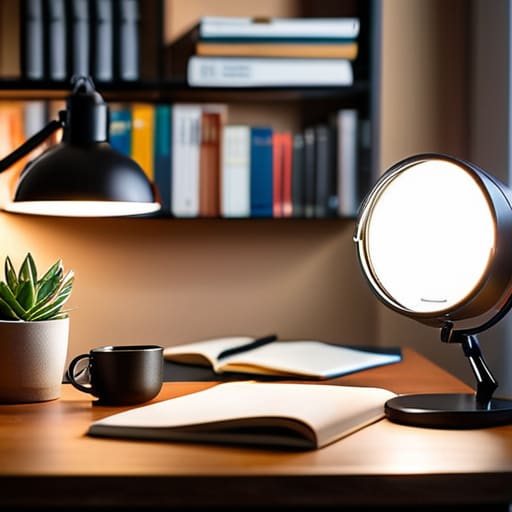
Think of your lighting like the seasoning in a perfectly balanced reduction; it’s subtle, but if you get it wrong, the whole dish falls flat. Most people make the mistake of sitting with a bright window directly behind them, which essentially turns them into a shadowy silhouette. To avoid looking like a mysterious figure in a noir film, you want your primary light source to be facing you. Whether it’s a ring light or just a well-placed desk lamp, aim for a soft, even glow that fills in the shadows under your eyes.
If you’re working in a room with harsh overhead lights, you might struggle with reducing video call glare on your glasses or even your forehead. To fix this, try bouncing the light off a white wall instead of pointing it directly at your face. This creates a diffused, natural effect that mimics the soft light of a cozy bistro. Once you’ve nailed the illumination, take a second to check your best webcam settings for clarity to ensure that crisp, high-definition look. After all, you want your colleagues to see your passion, not just a grainy blur!
Choosing the Best Webcam Settings for Clarity

Think of your webcam settings like the seasoning in a delicate reduction; if you go too heavy on one element, you’ll completely mask the true flavors of your presentation. Once you’ve nailed your professional video call lighting setup, you need to dive into the digital tweaks. Most people just hit “join” and hope for the best, but taking a moment to access your camera’s manual settings can be a total game-changer. I always recommend checking your exposure and white balance first. If your skin looks washed out or strangely orange, it’s likely because your camera is trying too hard to compensate for the room’s ambient light.
To find the best webcam settings for clarity, try to avoid the “auto” trap. Auto-focus can be a real nightmare, causing your image to pulse or blur every time you move your hands while talking—which, let’s be honest, we all do when we get passionate about a topic! Instead, try to lock your focus and adjust your resolution to at least 1080p if your bandwidth allows. It’s all about finding that sweet spot where you look sharp and polished without looking like you’re starring in a high-budget sci-fi film.
The Final Garnish: 5 Ways to Plate Your Presence for the Camera
- Treat your background like a clean workstation; you don’t want a cluttered, chaotic prep station distracting from your main course, so aim for a tidy, intentional space that lets you shine.
- Think of your camera angle like the perfect plating height—avoid the “looking down at a plate” view by propping your laptop up on some sturdy cookbooks so you’re meeting your audience eye-to-eye.
- Don’t forget the “seasoning” of your appearance; you don’t need a full gala outfit, but a crisp, solid-colored shirt acts like a pinch of salt, pulling your whole professional look together without being distracting.
- Mind your facial expressions and energy levels; just like a dish needs the right balance of acidity and fat, your video presence needs a blend of focused professionalism and warm, engaging smiles to keep people hungry for what you’re saying.
- Check your audio “texture” before you jump in; there’s nothing more jarring than a grainy, distorted voice, so do a quick sound check to ensure your delivery is as smooth as a well-emulsified beurre blanc.
The Chef’s Final Prep: Your Video Call Cheat Sheet
Treat your lighting like the seasoning on a perfect risotto—don’t go overboard with harsh overhead lights, but make sure you have enough warmth to avoid looking washed out.
Think of your camera settings as your mise en place; getting your resolution and framing dialed in ahead of time prevents a messy “service” when the meeting actually starts.
Remember that your visual presentation is just the garnish; once you’ve plated your setup, focus on bringing your authentic, energetic self to the conversation.
Plating Your Digital Presence
Think of your video setup just like plating a signature dish; you wouldn’t serve a beautiful risotto under a dim, flickering light, so don’t settle for a grainy, shadowed screen. A little intentionality with your lighting and angle is the “secret sauce” that ensures your professional presence looks as polished and vibrant as a perfectly executed tasting menu.
Amelia Johnson
Bringing It All Together

At the end of the day, mastering your video presence is a lot like perfecting a complex reduction; it takes a little patience and a few intentional adjustments, but the results are so worth it. By dialing in your lighting to avoid those harsh shadows and fine-tuning your webcam settings for that crisp, high-definition finish, you aren’t just fixing a technical glitch—you are curating your professional atmosphere. Think of these small tweaks as the final seasoning on a dish; they might seem minor, but they are exactly what makes your presentation pop with clarity and confidence during every digital meeting.
As you head into your next call, remember that while the tech matters, the most important ingredient is still you. Don’t let a grainy connection or a poorly lit corner dim your natural passion or your unique culinary spark. Use these tools to clear the way so your ideas and your personality can truly shine through the screen. You’ve got the skills, the drive, and now you have the setup to match—so go out there and serve up your best self to the world, one pixel at a time!
Frequently Asked Questions
What can I do if my workspace is tiny and I don't have room for a professional lighting rig?
Don’t sweat the small footprint! Think of it like working a cramped line during a Saturday rush—you have to be resourceful. If you can’t fit a full rig, lean into natural light. Position your desk facing a window; it’s the best “free” ingredient you’ve got. If that’s not an option, a simple clip-on ring light or even a well-placed desk lamp can work wonders. It’s all about clever plating!
Is it worth investing in a high-end microphone, or will a decent headset suffice for sounding professional?
Think of your audio like the seasoning in a great sauce—it’s the invisible element that ties everything together. While a decent headset is like a reliable kitchen knife, a high-end microphone is your heavy-duty stand mixer. If you’re frequently leading meetings or pitching clients, investing in a dedicated mic is absolutely worth it. It adds that crisp, professional “flavor” that makes you sound authoritative and polished, rather than just another voice in the crowd.
How do I manage to look polished and "put together" when I'm working from home in my apron or comfortable lounge clothes?
Look, I get it. Some days, my “uniform” is a flour-dusted apron and leggings, and honestly? I love that comfort. But when you’re hopping on a call with a client, think of your outfit like a garnish—it’s the finishing touch that pulls everything together. You don’t need a suit; just swap the loungewear for a crisp linen shirt or a structured knit. It’s about looking intentional, even if you’re still in your cozy slippers!


Amelia Johnson
I believe that food is not just sustenance but an expression of culture and creativity. Let’s explore how we can turn our culinary passions into rewarding careers that feed both our souls and our wallets.