How to Declutter Your Email Inbox for Good
I remember standing in the middle of a chaotic, high-pressure kitchen in Manhattan, sweat stinging my eyes while a line of tickets piled up like a mountain of unwashed dishes. The feeling of being completely overwhelmed by a mess you can’t control is universal, whether it’s a dinner rush or that suffocating, unread notification count staring you down. Most productivity gurus will try to sell you some expensive, over-engineered software to fix your life, but let’s be real: you don’t need a new gadget, you need a systematic clean-up. If you’re wondering how to declutter your inbox without losing your mind, stop looking for a magic button and start looking at your digital workflow like a mise en place.
I’m not here to give you a lecture on “digital minimalism” that feels more like a chore than a solution. Instead, I’m going to share the exact, no-nonsense strategies I use to keep my professional life from turning into a soggy mess. We’re going to treat your email like a well-organized pantry—clearing out the expired junk so you actually have the mental space to prep for your next big career move.
Table of Contents
- Mastering the Zero Inbox Methodology for Creative Minds
- Reducing Digital Clutter to Reclaim Your Culinary Focus
- Five Ways to Prep Your Digital Workspace Like a Pro Kitchen
- The Secret Sauce to a Streamlined Digital Workspace
- ## The Mental Mise en Place
- From Chaos to Culinary Clarity
- Frequently Asked Questions
Mastering the Zero Inbox Methodology for Creative Minds
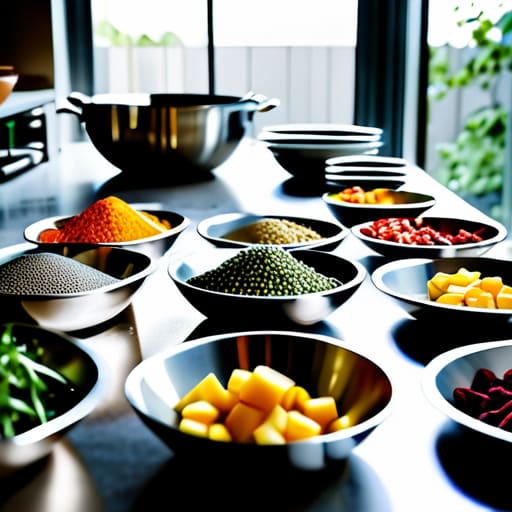
Now, let’s talk about the heavy lifting: the zero inbox methodology. Think of this not as a chore, but as your kitchen mise en place. In a high-pressure kitchen, you wouldn’t dream of starting service with a cluttered station and unwashed prep bowls, right? The same logic applies to your digital workspace. To master this, you have to be ruthless with your triage. Every time an email hits your view, you have three choices: do it, delegate it, or delete it. If it’s just a recipe link you’ll never actually cook, archive it immediately.
To keep your mental stovetop clear, I highly recommend implementing some aggressive email filtering strategies. Instead of letting every newsletter and promotional blast fight for your attention, set up folders that automatically sort them into “Read Later” or “Inspiration” piles. It’s all about reducing digital clutter so that when a truly important message arrives—like a dream collaboration or a vital client update—it doesn’t get lost in the sauce. Once you treat your inbox like a curated pantry rather than a junk drawer, your creativity will finally have room to breathe.
Reducing Digital Clutter to Reclaim Your Culinary Focus
Think of your inbox like a messy pantry; if you don’t clear out the expired junk, you’ll never have the space to prep the ingredients for your next big masterpiece. When I was running a high-pressure kitchen in NYC, I realized that mental clutter is just as dangerous as a disorganized walk-in. If your digital space is overflowing with newsletters you never read and promotional fluff, you’re essentially trying to cook a five-course meal in a kitchen filled with broken equipment. One of my favorite email productivity hacks is to treat your subscription list like a seasonal menu—if it’s no longer adding flavor to your life, get rid of it immediately.
Start by aggressively managing email subscriptions that no longer serve your professional growth. I’m talking about that massive unsubscribe spree where you ruthlessly prune everything from retail alerts to outdated industry digests. By implementing a few simple email filtering strategies, you can automate the sorting process, sending receipts to one folder and inspiration to another. This isn’t just about cleaning; it’s about creating a streamlined workflow that allows you to focus your creative energy where it actually matters: on the food and the people you love.
Five Ways to Prep Your Digital Workspace Like a Pro Kitchen
- Unsubscribe like you’re cleaning out a walk-in fridge; if you haven’t touched that newsletter in a month and it’s just taking up space, toss it! If it’s not adding flavor to your life, it doesn’t belong in your inbox.
- Use the “Mise en Place” method for your emails by creating specific folders for different categories—think “Recipes/Inspiration,” “Admin/Bills,” and “Client Projects.” When everything has its own designated station, you won’t be hunting for tools in the middle of a rush.
- Set up automated filters to act as your sous-chef. Let the computer handle the repetitive tasks, like routing receipts or industry newsletters directly into specific folders, so you can focus your mental energy on the high-level creative stuff.
- Batch your “digital prep.” Instead of checking your email every time a notification pings (which is a total flow-killer!), set aside specific times during the day to tackle the inbox, just like you’d prep your vegetables all at once before service starts.
- Don’t be afraid to “clear the station” at the end of the day. Spend the last ten minutes of your workday archiving finished threads and clearing out the junk, so when you sit down tomorrow morning, you’re starting with a clean, sparkling countertop.
The Secret Sauce to a Streamlined Digital Workspace
Treat your inbox like a prep station; by clearing out the “expired” emails and digital scraps daily, you ensure you have the mental headspace to focus on your real creative work.
Don’t be afraid to “toss the scraps”—if a newsletter or notification isn’t adding flavor to your professional life, unsubscribe immediately to keep your digital pantry lean and efficient.
Automation is your sous chef; use filters and rules to handle the repetitive tasks so you can spend your energy on the big, delicious projects that actually move your career forward.
## The Mental Mise en Place
“Think of your inbox like a messy walk-in pantry; if you’re constantly tripping over expired notifications and half-baked threads, you’ll never have the mental headspace to prep the ingredients for your next big creative masterpiece.”
Amelia Johnson
From Chaos to Culinary Clarity
At the end of the day, cleaning out your inbox isn’t just about hitting “delete” or organizing folders; it’s about creating the mental headspace necessary to actually cook with intention. By applying the Zero Inbox methodology and aggressively pruning the digital noise that distracts you, you’re essentially prepping your station for service. You’ve learned how to separate the essential ingredients—those high-priority client emails and creative briefs—from the stale, expired junk that’s just taking up valuable real estate. Remember, a cluttered digital environment leads to a cluttered mind, and you can’t dream up your next signature dish if you’re drowning in a sea of unread newsletters and spam.
I know that staring down a mountain of thousands of unread messages can feel as overwhelming as a Saturday night rush in a tiny kitchen, but I promise you, it is entirely manageable. Take it one “ingredient” at a time, and don’t be afraid to be ruthless with your unsubscribes. You deserve a workspace—both physical and digital—that fuels your creativity rather than draining your energy. So, take a deep breath, clear that clutter, and get back to what you actually love: crafting incredible food and building a career that satisfies your soul. You’ve got this, and I can’t wait to see what you cook up next!
Frequently Asked Questions
I've tried the "delete everything" approach before, but how do I handle those old recipe newsletters and industry updates I'm afraid I might actually need one day?
Oh, I have been there! That “delete anxiety” is real—it’s like being afraid to toss a slightly wilted herb because you might need it for a garnish later. Instead of the scorched-earth approach, try creating a “Digital Pantry.” Move those newsletters into specific folders or a dedicated archive label. That way, they’re out of your sightline while you’re prepping, but still tucked away on the shelf whenever inspiration strikes.
When I'm in the middle of a busy service or a hectic workday, how can I stay on top of my inbox without letting it become a massive, overwhelming chore?
Think of your inbox like a hectic dinner rush: you can’t tackle every ticket at once or you’ll crash. Instead, try “batching” your emails like you’d prep your mise en place. Set aside two or three specific windows during your shift to tackle the digital pile. If an email takes less than two minutes, knock it out immediately—just like clearing a small prep task—so it doesn’t pile up and overwhelm your station!
Is there a way to automate some of this digital cleaning so I can spend more time in the kitchen and less time staring at a screen?
Think of automation like a sous-chef for your digital life. You wouldn’t hand-chop every single onion for a massive banquet, right? Use tools like filters to automatically whisk newsletters into a “Read Later” folder, or set up rules to archive receipts the second they hit your inbox. It’s all about setting up your systems early so you can stop babysitting your screen and get back to what actually matters: the prep work.


Amelia Johnson
I believe that food is not just sustenance but an expression of culture and creativity. Let’s explore how we can turn our culinary passions into rewarding careers that feed both our souls and our wallets.